Mark attendance in one tap.
Pay the right salary every month.
StaffDays keeps your staff register, advances and payslips on your phone. No account, no staff app, no internet permission.
One-time purchase · Phone, tablet & Wear OS · Works offline
Every day marked.
Every advance recovered.
Every salary explained.
How it works
Set up once.
Tap daily. Pay monthly.
Three steps from a paper register to salary you can explain line by line.
- 01Add staff and wagesName, role and pay: monthly, daily, hourly or piece-rate. Import the list from a CSV if you already have one.
- 02Mark attendance dailyOne tap cycles present, absent, half day and leave. Add overtime, late minutes or a note when you need them.
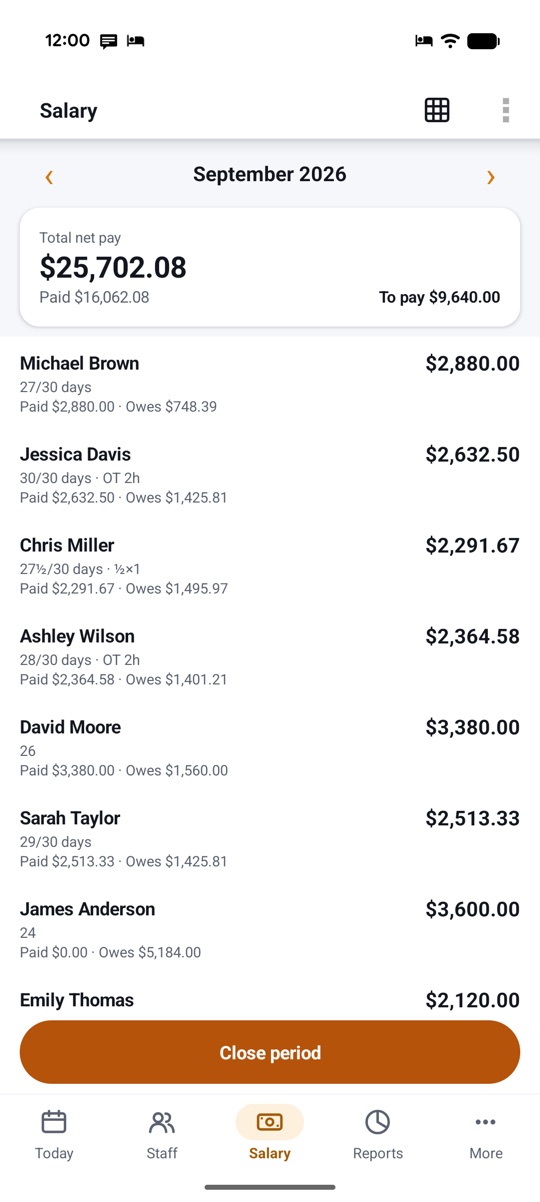
- 03Close the month, share payslipsStaffDays works out each salary with advances and bonuses, locks the month and makes payslips to share or print.
Today's register
The whole team,
marked in seconds.
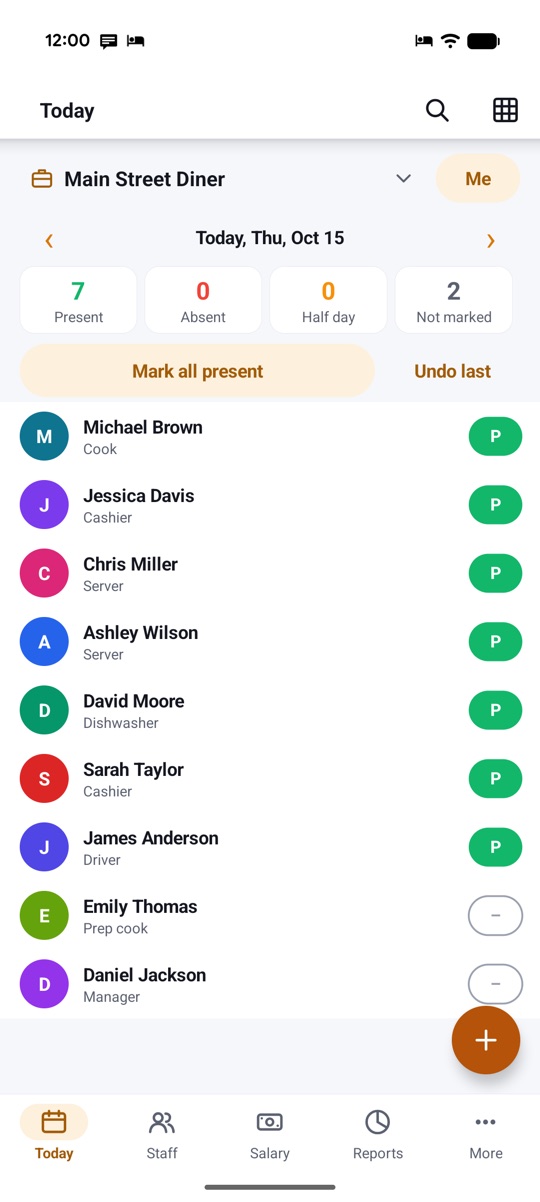
Every active staff member on one screen. Tap a status to change it, or mark everyone present at once and fix the exceptions.
- Present, absent, half day, paid or unpaid leave, week-off
- Overtime, late arrival and in/out times when you need them
- Holidays filled in from your calendar
Salary rules
Your rules,
worked out for you.
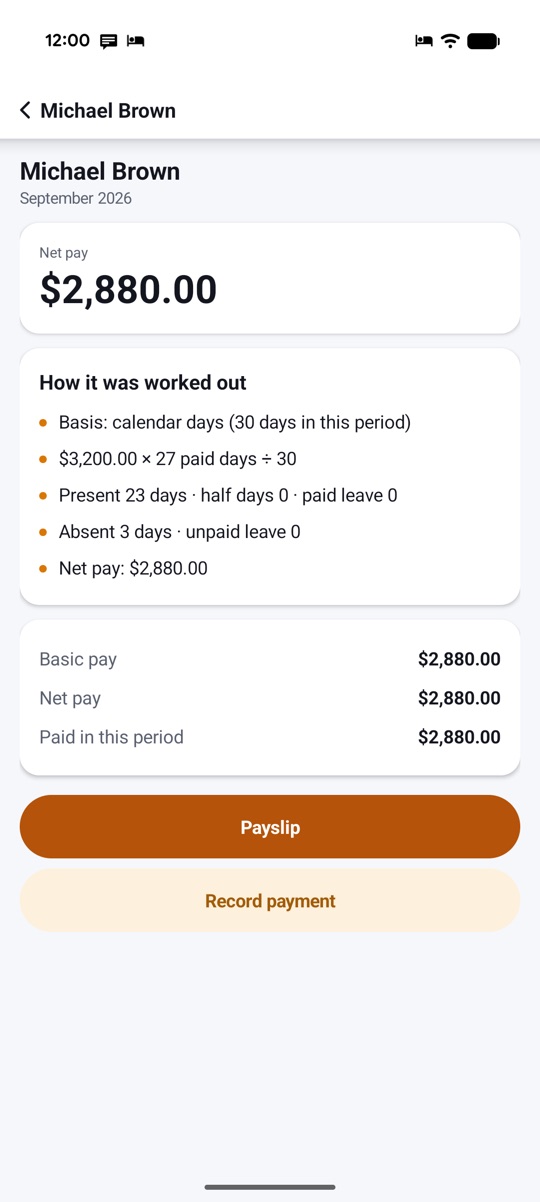
Choose how a month is counted: calendar days, a fixed 30 or 26 days, or working days only. Every figure comes with a plain-words breakdown, so nobody has to argue about it.
- Monthly, daily, hourly and piece-rate pay
- Paid week-offs, paid holidays and overtime rates
- Close a month to freeze its figures
Advances
Advances given,
advances recovered.
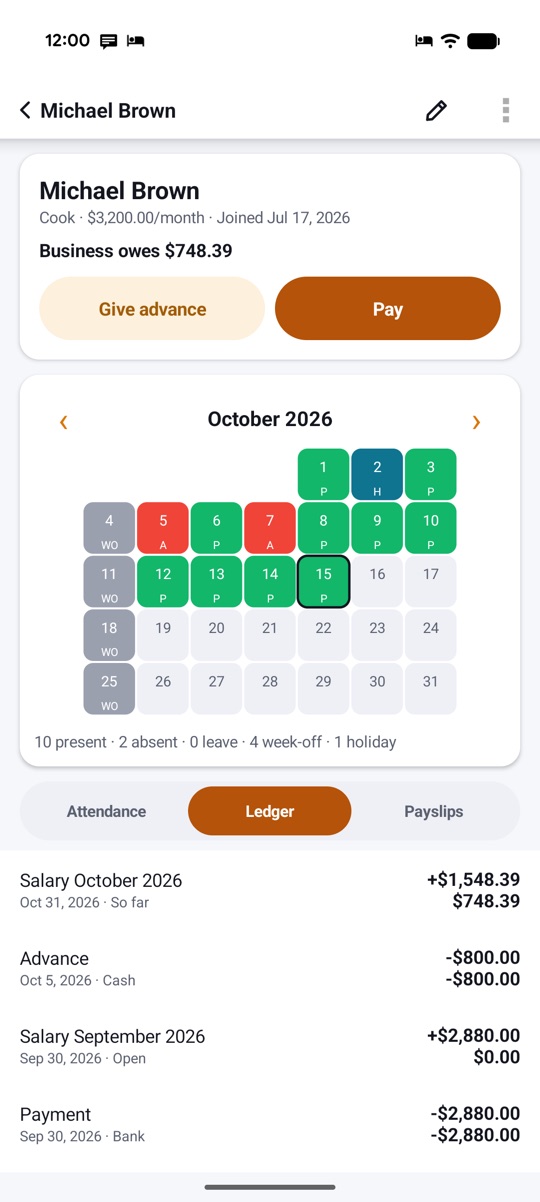
Record an advance or loan and choose how it comes back: a fixed amount each period, or all at the next salary. Each staff member has a running balance.
- Automatic recovery from each salary
- Bonuses, fines and allowances on any date
- Part payments with a clear balance
Payslips & register
Payslips to share,
a register to keep.
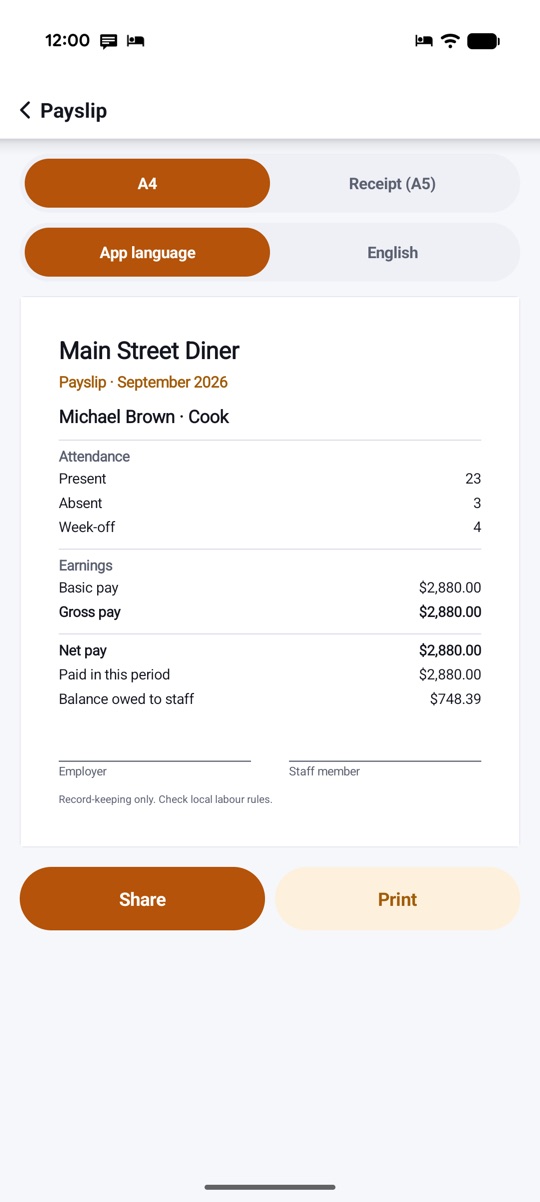
A neat payslip for every staff member, with attendance, earnings, deductions and net pay. Share it through any app on your phone, or print it.
- PDF payslips with a signature line
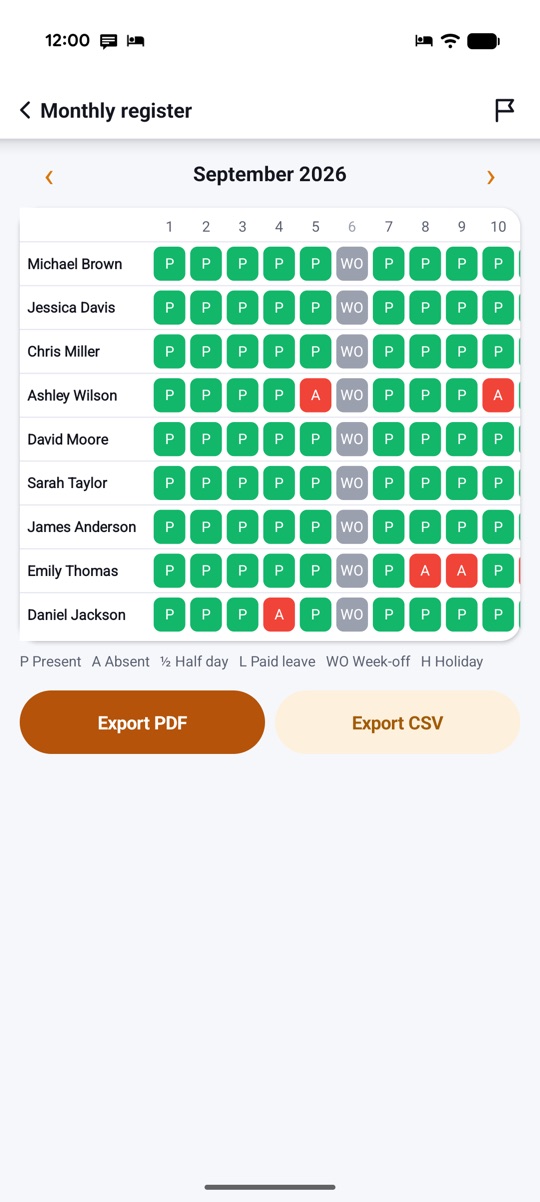
- Monthly attendance register as PDF or CSV
- Salary sheet for the whole team
Self mode
Work for someone?
Track your own hours.
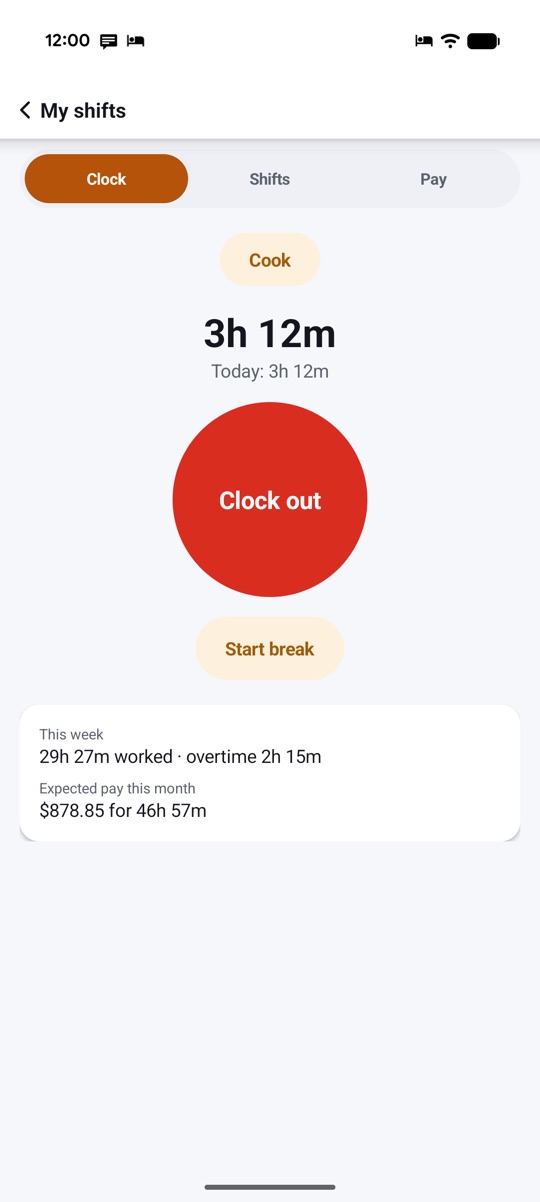
Clock in and out with one big button, take breaks and see your hours, overtime and expected pay for the week and the month.
- Up to three jobs with their own pay rules
- Shifts that cross midnight
- Clock in from your Wear OS watch
And more
The small things,
done right.
Attendance at a glance
See who shows up,
week after week.
Reports turn your register into charts: attendance rate per day, salary cost by month, overtime and outstanding advances. Each chart can also be shown as a table.
- Mark attendance as usual
- Open Reports for any month
- Spot patterns before payday
Illustrative example.
Pricing
Pay once.
Use it for every payday.
No subscription and no fee per staff member. Buy StaffDays once on Google Play and every feature is yours.
Everything included
- Unlimited staff, up to 5 businesses
- Salary sheet, advances and payslips
- Monthly register PDF and CSV export
- Self mode and Wear OS
- Every future update
The price is shown on Google Play in your currency. Google Play's refund policy applies.
No catch.
Privacy
Your team's wages
stay on your phone.
No account to create and nothing to sync. Staff names, attendance and salaries are stored only on your device.
Only what you share yourself, such as a payslip. StaffDays has no internet permission. Backups and exports go to the folder you choose, encrypted if you add a passphrase. Privacy policy →
Questions,
answered.
Does my staff need the app?
No. Only you install StaffDays. Staff don't sign in or install anything; you can share their payslips with any app on your phone.
Can I use a 26-day salary month?
Yes. Each business can count a month as calendar days, a fixed 30 or 26 days, or working days only, with paid or unpaid week-offs and holidays.
Does it work without internet?
Yes, always. StaffDays has no internet permission, so everything works offline and nothing leaves your phone unless you share it.
Can I move to a new phone?
Yes. Make a backup file, encrypted with a passphrase if you like, copy it to the new phone and restore it there.
Does it calculate PF, ESI or tax?
No. StaffDays is for record-keeping: attendance, wages, advances and payments. It doesn't calculate statutory contributions or tax.
Is there a subscription?
No. StaffDays is a one-time purchase on Google Play, with no in-app purchases and no ads.